Blog Cabinet Shop Scheduling Software
Cabinet Shop Scheduling Software
By Brian Haughey • Updated 2026-03-06

Every job comes with a date. The customer has an install date, the contractor has other trades lined up behind you, and the shop has other jobs moving through at the same time.
When you schedule one job at a time, you can't see what one change does to the rest.
Scheduling in Cabinetshop Maestro starts from the workload, not just the due dates. Set up default timelines for how your shop runs a job. Schedule a new job forward from a start date or backward from the install date, and the stages fall into place. Look across all the jobs and the overlaps show up. When something changes, slide the stage instead of rebuilding the plan.
Some weeks, new jobs pile up and other weeks business is slow. It's too easy to have projects get hung up because of a late shipment or a miscommunication. Gathering all the necessary information and specifications from designers, builders, and architects can be both time-consuming and frustrating.
A cabinet shop needs a system for accurate and efficient scheduling and project management (with an automated reminder system) to:
- Minimize information gathering delays.
- Efficiently order material
- Plan and assign project tasks to employees
- Monitor the progress of multiple projects
- Track task times
- Improve your estimating
- Deliver on-time, every time!
Managing Deliveries
High end materials and fixtures can be difficult to source. Even trusted vendors sometimes run into problems. The whole project sometimes hinges on the delivery of one or more difficult to obtain specialty items. It takes an adjustable scheduling platform to control (and plan for) the effects of delayed shipments and vendor errors.Staying organized is critical
When you have more than one project in the works, complicated by delivery delays and snafus, it's easy to lose track of the big picture. Not to mention the additional strain of marketing, sales and administrative tasks necessary to keep the business running and the new jobs coming in.Reliability leads to repeat customers
Everyone, from your sales team to your ultimate customers, is going to be happy if you can accurately predict when a job is going to be ready for install. That's why you need cabinet shop scheduling software like our Cabinetshop Maestro. It will help you to effectively manage multiple jobs and stay on schedule.Questions Shop Owners Ask
How do I schedule multiple cabinet jobs and hit my deadlines?
Look at the workload, not just the due dates. Lay out when each job is in each stage, such as design, production, finish, and install, and check what else is in that stage the same week. The earlier you see a pile-up, the more ways you have to fix it.
How do I know which jobs are ready to ship?
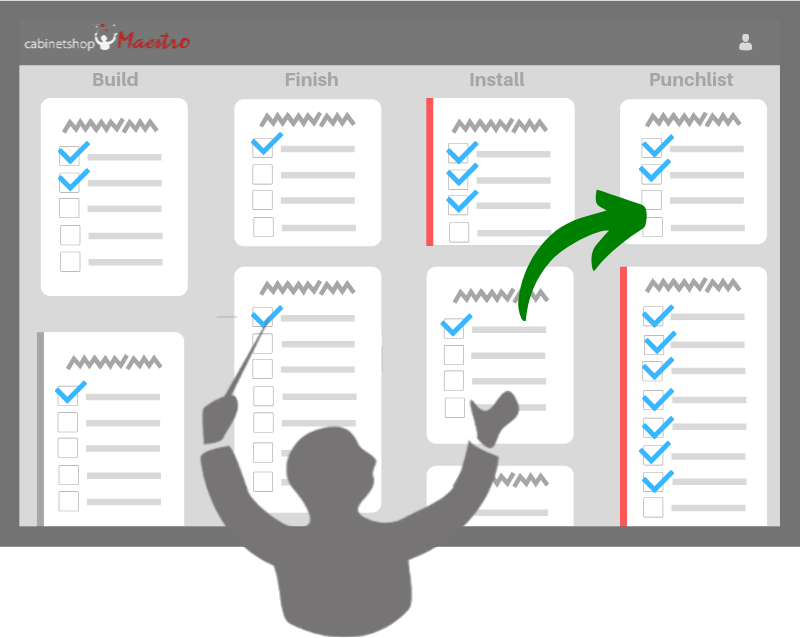
Give every job the same milestones. In Maestro, a job moves to the next milestone as its tasks are checked off, so the workflow board shows what's at install and what's still in the shop.
How do I know when materials need to be ordered for each job?
List what each job needs when it's planned, with the vendor, the date you need it by, and whether it's been ordered. In Maestro every job has Needed Materials, tied to vendors and rolled into purchase orders, and the status updates as orders go out and come in.
From the guide: "We're always scrambling to meet deadlines" and "We're always waiting on something"
See How Maestro Handles Scheduling
Built from the ground up for custom cabinet shops, Maestro's timeline view shows your whole shop's schedule in one place, so you can spot conflicts, plan around deliveries, and keep every job on track for install day.