Blog How to Manage a Custom Cabinet Job From Lead to Install
How to Manage a Custom Cabinet Job From Lead to Install
By Brian Haughey • Updated 2026-10-06
Run every job through the same stages in the same order. Give each stage a short checklist, and don't move the job forward until the checklist is done. Most of the money and time lost on a job comes from skipping a step: cutting before the deposit clears, or ordering before the client signs off on the drawings.
Split the stages into two parts.
- Your sales process: Prospect → Design Consultation → Final Drawings → Estimate/Proposal
- Your production process: Schedule/Order → Build → Assemble → Finish → Install → Punchlist
What does each stage of a cabinet job include?
| Stage | Checklist | Who owns it |
|---|---|---|
| Prospect | Contact customer, schedule initial meeting | Office |
| Design Consultation | Gather information, design consultation, site measurements | Owner or designer |
| Final Drawings | Drawings, customer review | Owner or designer |
| Estimate/Proposal | Estimate and proposal, job awarded, deposit received | Owner or estimator |
| Schedule/Order | Schedule, order materials | Office |
| Build | Cut parts, build boxes, doors and drawer fronts, panels, moldings | Shop floor |
| Assemble | Assemble, quality check | Shop floor |
| Finish | Sand and prep, finish | Finisher |
| Install | Load and deliver, install | Installers |
| Punchlist | Touch-up and final walk-through | Installers and office |
How do you sell the job without arguments at install?
Get the same information from every prospect: which rooms, face frame or frameless, rough budget, and timeline. A client intake form collects it before the first call. At the consultation, pin down door style, finish, species, appliances, and hardware, and take your own site measurements.
Draw it before you price it. Get the client to approve the final drawings in writing. After that, any change is a change order with a price. Then send a proposal with scope, exclusions, and payment terms. Anything you didn't write down becomes an argument at install.
When should you collect the deposit?
Before anything else. The deposit should at least cover materials. A common split is 50% at signing, 40% before install, and 10% after the punch list. Ask for more on jobs heavy in solid wood or custom doors.
Don't schedule or order a thing until the deposit is in. This is the one step shops skip most often.
How do you order materials and schedule the job?
Order everything in one pass: sheet goods, doors, edge banding, hinges, slides, and finish materials. Write down when each item will arrive. One late item can stall a whole install.
Then set the install date and work backward. Finishing usually takes the longest, so block that time first, then build and assembly, then make sure materials land before you start cutting. Check the schedule weekly. A stage with open work past its end date is late, and you want to catch that on Monday, not on install day. For more on building the schedule, see cabinet shop scheduling.
Do a quality check after assembly. An out-of-square box is easy to fix before finish and painful to fix on site.
Who should update the job during production?
The person doing the work should check it off. If only the office updates jobs, the plan drifts away from what's actually on the bench.
How do you close out the job?
Walk the job with the client at install and write down every punch item. Fix them, then invoice the balance you already agreed on in the proposal. Record every payment against the job so you always know what's still owed.
Why keep the whole job in one place?
When stages, drawings, orders, dates, and invoices live in five different places, jobs fall through the cracks. (More on that in how to keep cabinet jobs organized.)
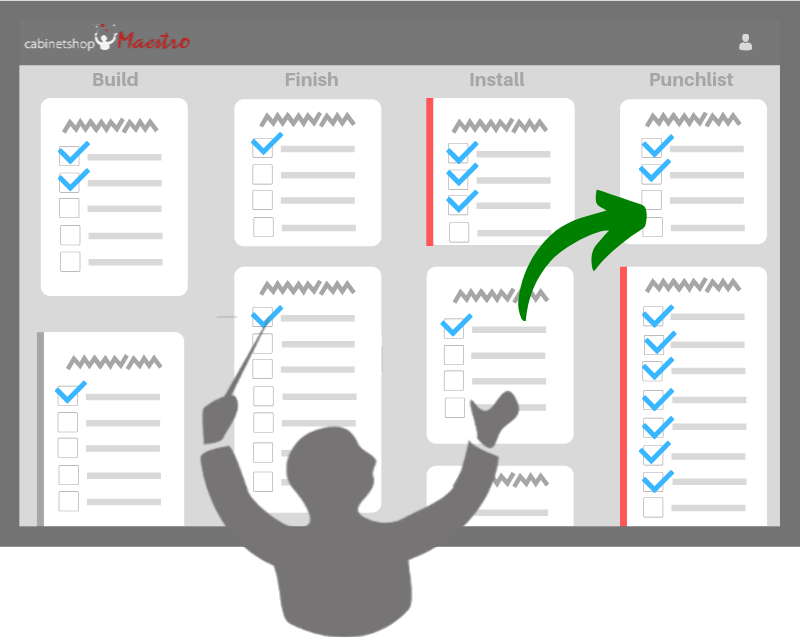
Cabinetshop Maestro is job management software built for custom cabinet shops. It comes with a ready-made set of stages, and you can change them to fit your shop. Every job shows on a workflow board by stage, and you can turn on a setting that moves a job to the next board on its own as its tasks are completed. Estimates, proposals, invoices, and payments, purchase orders, and schedules all live on the same job.
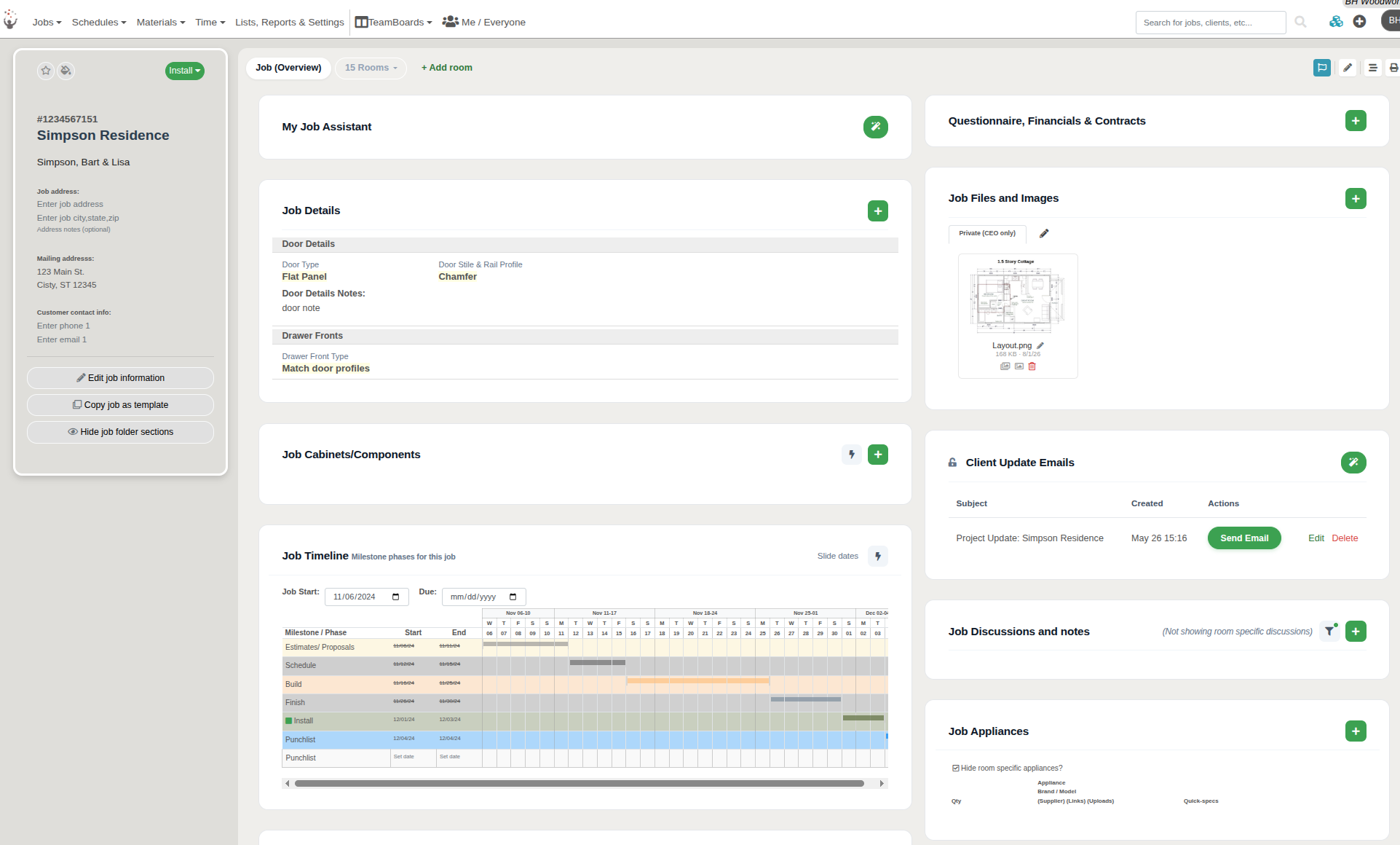
One job record: details, drawings, discussions, client updates, and the milestone timeline, all in one place.
Frequently Asked Questions
What's the most common mistake when managing a cabinet job?
Scheduling or ordering materials before the deposit is in.
Who should update the job during production?
The person doing the work. If only the office updates jobs, the plan drifts away from what's actually on the bench.
How often should I check the schedule?
Weekly, looking for stages past their end date with work still open.
How much deposit should a cabinet shop take?
Enough to at least cover materials. A common split is 50% at signing, 40% before install, and 10% after the punch list, with more up front on jobs heavy in solid wood or custom doors.
What's the difference between the sales stages and the production stages?
The sales stages (Prospect, Design Consultation, Final Drawings, Estimate/Proposal) end when the job is awarded and the deposit is in. The production stages (Schedule/Order through Punchlist) are the work you do once it's yours.
When does a change become a change order?
Once the client has approved the final drawings in writing. Any change after that gets written up with a price before anyone acts on it.
What goes on a stage checklist?
The few things that must be true before the job moves on. Keep each list short enough that the crew actually uses it, like "deposit received" before scheduling or "quality check" after assembly.
How do I know a job is running late?
Look for any stage that's past its end date with work still open. Check weekly, so you catch it early in the week instead of on install day.
Try Cabinetshop Maestro® Today!
Nothing to download, nothing to install, and no contracts.