Blog Cabinet Shop Job Management Software: What to Look For
Cabinet Shop Job Management Software: What to Look For
By Brian Haughey • Updated 2026-11-02
Cabinet shop job management software keeps every job in one place from lead to install. It holds who the client is, what was quoted, whether the deposit came in, what materials are ordered, what stage the job is in, who is working on it, and what is still owed. If you can't answer "where is the Johnson kitchen?" without walking into the shop or texting someone, you need it. What to look for comes down to one question: will the whole shop actually keep it current?
This post is a buyer's checklist. For the case for switching, see When a Cabinet Shop Outgrows the Spreadsheet. For the lead-to-install walkthrough, see How to Manage a Custom Cabinet Job From Lead to Install.
What does job management software do for a cabinet shop?
It tracks the business side of the job, not the drawing side. A job moves through lead, quote, deposit, design, material ordering, production, finishing, install, and final payment. Job management software holds the information and the status for each of those steps.
In practice that means:
- One record per job with the client, rooms, files, notes and photos.
- A board that shows every job by stage, so you see what is next.
- Tasks assigned to people, with due dates.
- Time logged against jobs.
- Estimates, proposals, invoices and payments tied to the job.
- Materials needed, ordered and received.
How is it different from CAD software and QuickBooks?
They do different work, and most shops need all three.
| Tool | What it does | What it doesn't do |
|---|---|---|
| CAD / cut list software (Cabinet Vision, Mozaik) | Designs boxes, makes cut lists, drives the CNC | Tracks deposits, schedules, who is on what, client updates |
| Job management software | Tracks each job from lead to install, plus the team's tasks and time | Draws cabinets |
| Accounting (QuickBooks) | Books, taxes, payroll, reports | Knows which stage a job is in or what the shop is building today |
Job management sits between the other two. It is where the job lives while it moves through the shop.
What should you look for?
Will the shop floor use it, or only the office?
This matters most. Office staff will keep any system current. The shop floor usually won't, and then the job in the software drifts away from the job on the bench. Ask how a builder or installer uses it on a phone or a shared shop screen. Ask whether checking off a task takes one tap. If the floor has to wait for the office to update things, you have a second whiteboard.
Can you see every job and what is next at a glance?
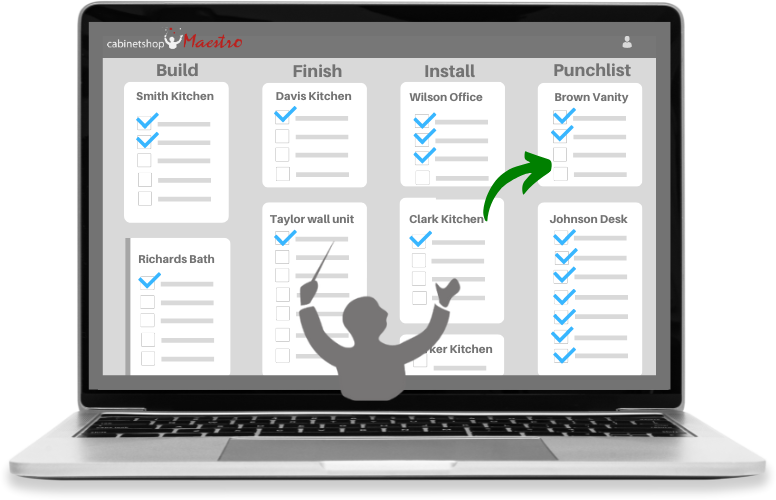
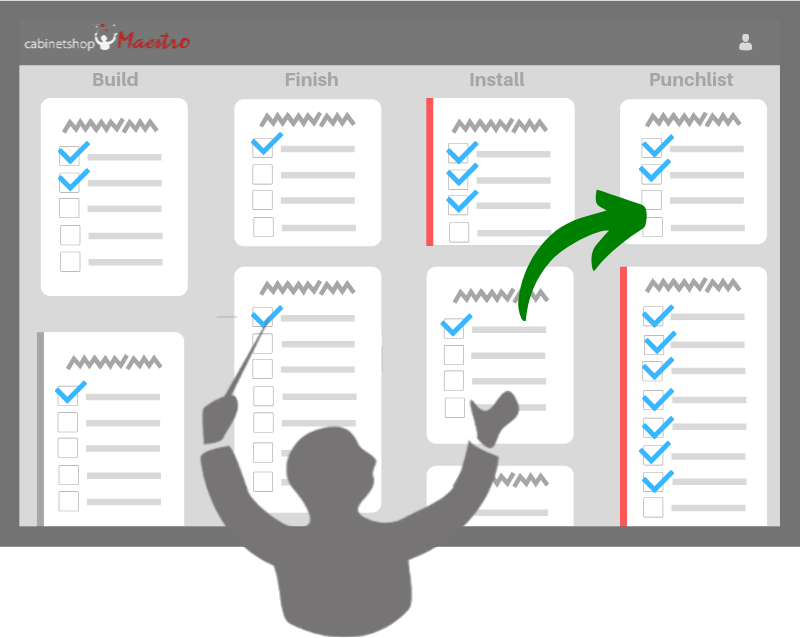
You should be able to look at one screen and see every job by stage: design, ordering, build, finish, install, punch list. Late jobs should stand out. If you have to open each job to learn where it stands, you haven't gained anything over a spreadsheet.
Do tasks move the job along?
Look for task lists you can load onto each job, with assignees and due dates. The better versions move a job to the next stage when its last open task is done, so the board stays right without someone dragging cards.
Is time tracked against the job?
You can't price the next job well without knowing the hours on the last one. Look for time logged to specific tasks and jobs, from a timer or by entry, and a way to compare actual hours to the estimate.
Do estimating and invoicing live inside the job?
A deposit should cover materials before anything is cut. That only happens reliably if the quote, the deposit invoice and the payment record sit on the same job. If you retype a quote into an invoicing tool, mistakes follow. Check that proposals turn into invoices without re-entry and that you can see a job's open balance.
Does it handle materials?
Look for a needed-materials list per job and room, purchase orders built from it, and a way to mark items received. Missing material is one of the most common reasons a job stalls.
Does it help you keep clients informed?
"Where's my job?" calls eat the owner's day. Look for a way to send a client a status update without writing it from scratch. Check that nothing goes to a client without your click.
Is it honest about integrations?
Ask directly whether it connects to QuickBooks, your CAD program, or neither. Many shops move data by CSV export, which is fine if you know it going in. A vague answer is a warning sign.
What does it cost, and can you try it?
Look for flat pricing you can read without a sales call, and a real trial. Per-user pricing adds up when you add installers and part-time help. Find out up front whether the trial needs a card.
How do you test it in a trial?
Use a real job, not the sample data.
- Enter one active job with its rooms and a default task list.
- Have your builder or installer check off a task on their phone, with no training.
- Move the job through a stage and see whether the board matches reality.
- Log hours on a task.
- Build a proposal and turn it into a deposit invoice.
- After a week, ask who actually used it.
If only one person touched it, that is your answer. Strong signs a shop will stay are invoicing, time tracking and estimating being used inside the system.
What are the red flags?
- Built for big millwork plants or general contractors, with features and pricing you don't need.
- Needs a long setup before it shows value.
- No way for the floor to use it.
- Every feature costs extra.
- Can't say what it does not do.
Where does Cabinetshop Maestro fit?
Cabinetshop Maestro is job management software for custom cabinet shops. It tracks jobs from lead to install with workflow boards, scheduling, tasks, and client communication. It was built by a cabinetmaker for shops of 1 to 20 people. It costs $199 a month flat, with a 14-day free trial that requires a credit card. Kiosk Mode lets the shop floor check off tasks and run timers on a shared screen. It does not integrate directly with QuickBooks or CAD software today. Data moves by CSV.
Frequently Asked Questions
Is job management software the same as ERP?
No. ERP covers manufacturing, inventory and accounting for larger plants. Job management software is lighter and built around jobs moving through stages.
Do I need it if I already use CAD software?
Yes, if you track deposits, schedules, task assignments and client updates by hand. CAD handles design and cut lists, not the business side of the job.
Can it replace QuickBooks?
Generally no. Most shops keep their accounting software and use job management for job-level estimates, invoices and payments.
How long does setup take?
It depends on the product. Enter one active job first and judge from that, rather than loading everything.
What if my crew won't use it?
That is the most common failure. Pick something the floor can use on a phone or shop screen in a few taps, and test it with them before you commit.
Is a spreadsheet enough?
For a few jobs at a time, often yes. It breaks when several people need current information at once.
What size shop is it for?
Shops of 1 to 20 people get the most out of it, especially those with an office person entering jobs.
Try Cabinetshop Maestro® Today!
Nothing to download, nothing to install, and no contracts.