Blog How to Schedule Cabinet Jobs and Hit Install Dates
How to Schedule Cabinet Jobs and Hit Install Dates
By Brian Haughey • Updated 2026-11-16
To hit install dates on several custom cabinet jobs at once, schedule each job backward from its install date, give every stage a working-day duration, and check the total build hours against what your shop can actually produce each week. Then review the schedule once a week and move dates as soon as something slips, not on install day. A whiteboard can show where jobs are, but it can't do the backward math, add up hours, or warn you when a stage runs late.
I ran a custom cabinet shop for over 20 years, and most of what's below came from getting this wrong before getting it right. If you're comparing scheduling tools rather than learning the method, see the best cabinet shop scheduling software. For the bigger picture of how a shop schedule fits together, see cabinet shop scheduling.
Why do cabinet shops miss install dates?
It's usually not the build. A missed install date almost always traces back to something that happened weeks earlier. Four things cause most of them:
- The date was promised before anyone checked capacity. The quote said "six weeks" because the last job took six weeks, not because this one fits.
- Materials weren't ordered in time. Sheet goods, drawer slides, or a specialty door order shows up a week after cutting was supposed to start.
- Finishing gets squeezed. It's the last stage before install, so every earlier delay lands there.
- Nobody notices the slip until install week. When the schedule lives in the owner's head, a stage running three days long stays invisible until it's too late to fix quietly.
How do I schedule a cabinet job backward from the install date?
Start with the install date and count backward in working days, one stage at a time. Working backward shows you whether the date is possible before you've promised it.
- Set install day. Agree on it with the client or GC, and get it in writing.
- Give every stage a duration in working days. For example: finishing 5, assembly 4, build 6, and schedule/order 10 to cover material lead time. Skip weekends unless you work them.
- Subtract. If install is on the 30th, finishing starts about 5 working days before, assembly about 4 days before that, and so on back to the start.
- Check the deposit date. Materials get ordered at the start of schedule/order, so if the deposit isn't in by then, the install date isn't real yet. A deposit should cover materials before anything is cut.
- Add a buffer. One to three working days before install is enough for most jobs. Give yourself more when there's outside finishing or long-lead hardware.
If the backward math puts the start of production in the past, the install date can't be met. Say so now. It's a much easier conversation today than it will be the week before install.
How do I know if my shop has room for another job?
Count hours, not jobs. Two jobs can mean very different loads, and "we've got three jobs going" tells you almost nothing about whether a fourth will fit.
Here's a simple example. Say a shop has 4 people on the floor, and each gets about 30 productive hours a week after cleanup, interruptions, and deliveries. That's roughly 120 build hours a week.
| Job | Estimated shop hours | Weeks of capacity |
|---|---|---|
| 28-box kitchen | 140 | 1.2 |
| Two baths and a laundry | 60 | 0.5 |
| Built-in bookcases | 35 | 0.3 |
| Total | 235 | about 2 weeks |
That's about two weeks of work already on the books. If another kitchen wants to be in production during those same two weeks, something has to move. Use your own estimated hours per stage. Better yet, if you track actual hours on past jobs, use those, because actuals usually run higher than estimates.
What should a weekly scheduling check look like?
Keep it short and keep it regular: fifteen minutes, same day each week, with the owner and whoever runs the office.
- List every job by install date, soonest first.
- For each job, ask one question: is the current stage on track to finish by its end date? If not, how many days behind is it?
- Shift the rest of that job's dates by the same number of days, then decide whether the buffer absorbs it or the client needs a call.
- Check materials for anything starting production in the next two weeks.
- Check time off. A builder out for a week takes about 30 hours out of that week's capacity.
The point is to catch a three-day slip while it's still only three days.
How do I handle a client who moves their install date?
Treat it like a new job entering the schedule. Shift that job's stage dates by the change, then check the weeks it now lands in against your capacity. If moving it earlier pushes another job late, the client who asked for the change hears about it first. The client who didn't ask shouldn't be the one who pays for it.
Do I need software to schedule cabinet jobs?
Not always. For two or three jobs at a time, a spreadsheet with stage dates works fine, as long as someone keeps it current. Past that, the problems from the top of this article come back: dates live in one person's head, slips show up late, and the crew can't see what's next without asking. (More on that point in when a cabinet shop outgrows the spreadsheet.)
Whatever tool you pick, look for these:
- Stage dates built from a template, counted in working days
- Late or overdue stages flagged without anyone checking by hand
- Shifting a whole job forward or back in one step
- A view of every job's stages side by side
- Time off visible on the same calendar as tasks
General project tools like Monday or Trello can hold stage dates, but you set up the cabinet stages and the date math yourself. A shop ERP such as Innergy goes further into production planning, with a bigger price and a longer setup. If you need machine-level scheduling, look there: Cabinetshop Maestro doesn't schedule machines.
How does Cabinetshop Maestro schedule a job?
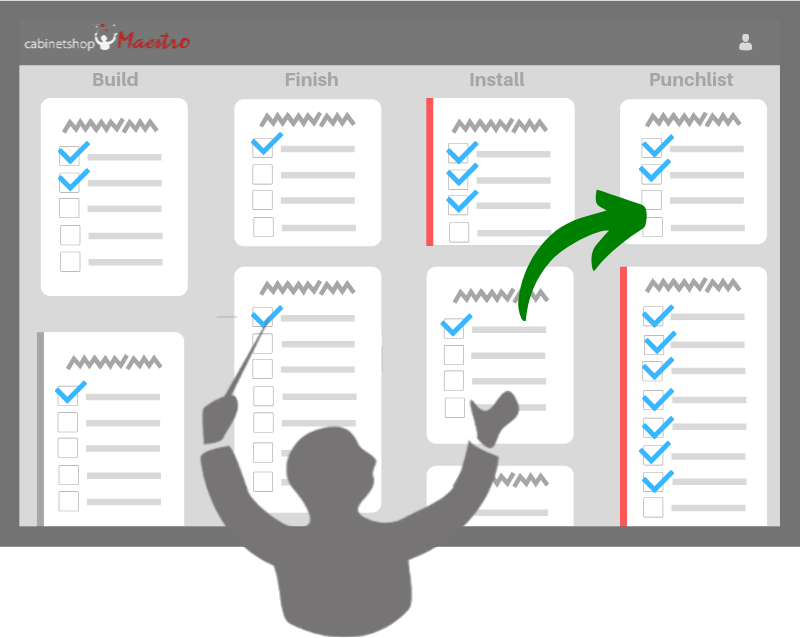
Cabinetshop Maestro is job management software built for custom cabinet shops. It tracks jobs from lead to install with workflow boards, scheduling, tasks, and client communication. To schedule a job, you pick the install or end date, and Maestro builds the timeline from your saved default, spreading stages backward in working days and skipping weekends based on your settings. Stages that pass their end date with open tasks get flagged, you can shift a whole job forward or back in one step, and approved time off shows up on the task calendars. Pricing is flat per tier, $199 a month for Professional or $399 for Enterprise, with a 14-day free trial.
For more on keeping the rest of the job straight, read how to keep cabinet jobs organized. From the guide: "We're always scrambling to meet deadlines".
Frequently Asked Questions
How far out should I book install dates?
Add your current backlog to this job's own stage durations, then add a buffer. If you have three weeks of work queued and the job needs four weeks start to finish, the earliest honest date is about seven weeks out.
How much buffer should I build in?
One to three working days before install covers most jobs. Add more for outside finishing, imported hardware, or anything with a long lead time.
Should I schedule by job or by stage?
Both. Set dates by job, counted backward from install. Then look across all jobs by stage to see when finishing or assembly is about to get overloaded.
What's the most common reason install dates slip?
Materials arriving late. Usually that's because the deposit came in late or the order went out after cutting was supposed to start.
How do I keep the shop floor on the same schedule as the office?
Put the schedule somewhere the crew can see it without asking, and have them mark tasks done as they finish. A schedule only the office updates drifts away from what's actually on the bench.
Is a whiteboard enough?
It shows where jobs are today, which is useful. It doesn't count working days, total hours, or warn you about a late stage, so it works best next to a real schedule, not instead of one.
Does Cabinetshop Maestro drag tasks around a calendar or schedule machines?
No. Maestro schedules jobs and stages in working days, and you change dates by editing them. Machine time is still planned by you.
Try Cabinetshop Maestro® Today!
Nothing to download, nothing to install, and no contracts.